
Download Smart місто – free app, city services, electronic consultation, citizen participation, Ukrainian, English, Russian
Overview
Smart місто is a free Android application developed by F12A Mobile, designed to empower citizens with tools for civic engagement and access to municipal services. The software enables users to express opinions, report issues, participate in electronic consultations, and submit requests directly to city authorities. It serves as a digital bridge between residents and local government, promoting transparency and community involvement in urban development. The application is particularly suited for individuals and organizations interested in contributing to local decision-making processes.
Users can quickly send notifications about public issues, vote on local projects, and engage in consultations without needing to visit physical offices. The app supports multiple languages, including Ukrainian, English, and Russian, making it accessible to a diverse user base. It is available on the Google Play Store and requires Android 8.0 or later for installation. The latest version, 2.0.3, was released on March 15, 2024.
While the developer did not provide additional information about the technical architecture or backend systems, the application appears to focus on usability and accessibility. Real-world usage scenarios include reporting potholes, suggesting public space improvements, or voting on community initiatives. The software is ideal for urban residents who wish to actively participate in shaping their city’s future.
Key Features & Capabilities
- Electronic Consultations – Users can participate in official city consultations, providing feedback on proposed policies or urban projects, contributing to democratic decision-making.
- Issue Reporting – A simple interface allows users to send notifications about local problems such as damaged infrastructure, sanitation issues, or safety concerns.
- Direct Communication with Authorities – The app enables users to send requests directly to the mayor or relevant city departments, streamlining civic communication.
- Project Voting – Citizens can vote on local development projects, helping determine which initiatives receive funding or priority.
- Multi-Language Support – Available in Ukrainian, English, and Russian, ensuring inclusivity across linguistic groups within the city.
- Quick Login via Google Account – Simplified authentication process allows fast access without creating a separate account.
These features are designed to enhance civic participation by reducing barriers to engagement. For example, a resident can report a broken streetlight in minutes and receive confirmation of the report’s receipt. Similarly, a community group can use the app to gather support for a new park proposal through voting. The app’s functionality supports both individual and organizational involvement in urban governance.
User Interface, Workflow & Performance
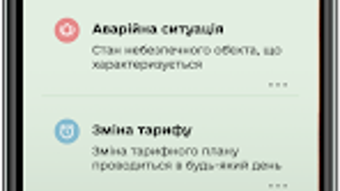
The user interface of Smart місто is structured around simplicity and ease of navigation. The main screen provides quick access to core functions such as reporting issues, joining consultations, and viewing notifications. Menus are organized logically, with clear icons and labels, reducing the learning curve for new users.
Workflow efficiency is enhanced by a streamlined process: after logging in with a Google account, users can immediately begin using the app’s features. The application does not require extensive configuration or data entry, which improves usability for a broad audience. The developer did not specify resource usage details, so performance behavior in terms of CPU or RAM consumption remains unknown.
General software behavior patterns suggest stable operation under normal conditions, but exact stability metrics were not provided. The app’s lightweight nature, with a file size of 45.6 MB, indicates efficient use of storage. However, actual performance during prolonged use or under low-memory conditions was not documented.
Compatibility & System Requirements
Smart місто is designed for Android 8.0 and above, ensuring compatibility with a wide range of modern devices. The application has a file size of 45.6 MB, which is considered moderate for a feature-rich civic engagement app. This size allows for quick downloads and minimal storage impact on most smartphones.
Exact system requirements were not listed beyond the OS version. The developer did not specify minimum RAM, processor type, or storage space beyond the overall file size. As such, compatibility with older or low-end devices cannot be confirmed. Installation is performed through the Google Play Store, which handles compatibility checks automatically.
Platform compatibility information is limited to Android, and no support for iOS, Windows, or Mac was mentioned. Users on other platforms will need to rely on alternative methods or web-based access, if available.
Pros and Cons
Pros
- Free to download and use, with no hidden costs
- Supports multiple languages, enhancing accessibility
- Simple login via Google account, reducing setup time
- Enables direct participation in city governance and decision-making
- Lightweight application with a moderate file size
- Available on the Google Play Store, ensuring secure distribution
Cons
- Only available for Android, limiting cross-platform access
- Exact system requirements beyond OS version were not provided
- Performance under low-resource conditions was not specified
- Limited to users with Google accounts for login
- No information on offline functionality or data sync behavior
FAQ Section
Is Smart місто available for iOS devices?
As of now, the application is only available for Android. There is no official version for iOS devices.
Is the app safe to use?
Smart місто is distributed through the Google Play Store, which applies security checks. The app uses Google account authentication, which is a secure method for identity verification.
How often are updates released?
The latest version, 2.0.3, was released on March 15, 2024. Update frequency is not specified, but the developer has demonstrated recent activity.
Does the app require an internet connection?
Yes, the app requires an active internet connection to send reports, participate in consultations, and access real-time city information.
Can I use Smart місто without a Google account?
Currently, login is only supported via Google account. Users without a Google account cannot access the app’s core features.
Final Thoughts
Smart місто offers a practical and accessible platform for citizens to engage with their local government. Its focus on transparency, ease of use, and multilingual support makes it a valuable tool for urban communities. While it is limited to Android devices and lacks detailed technical specifications, the app fulfills its purpose effectively for its target audience.
Residents seeking to report issues, vote on projects, or contribute to city planning will find the app intuitive and functional. The absence of fees and the secure distribution via Google Play further strengthen its appeal.
Download Smart місто now







